
That trust is not fluffy. It’s functional. It affects conversion.
HubSpot Website Builds: What Breaks, What Scales, What Works, And Why with HubSpot CMS Hub
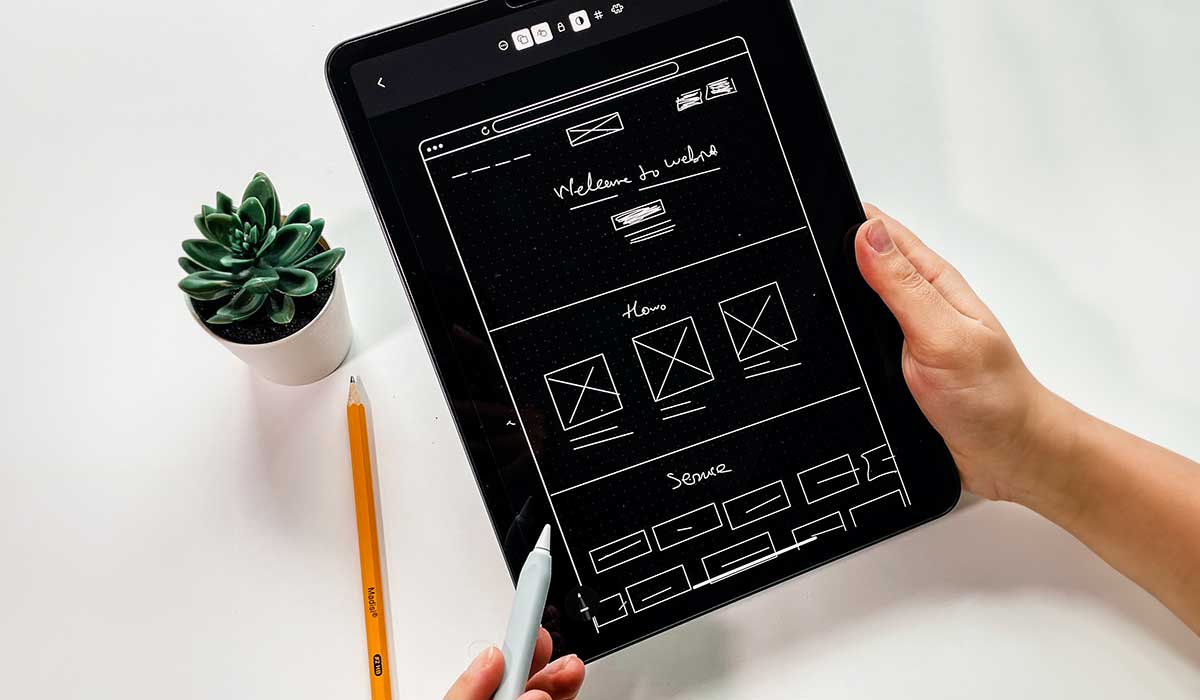
HubSpot Website Builds: What Breaks, What Scales, What Works, And Why with HubSpot CMS Hub
17:54
If you’re like me, stranded somewhere between trying to do content and making your website actually sell, you’ve probably bumped into a few big claims about HubSpot CMS.
What breaks, what scales, what works in HubSpot website builds
What breaks
- Inconsistent page structures across templates
- Over-reliance on custom modules without governance
- Design-led decisions that ignore publishing workflows
What scales
- Standardized, intent-based page frameworks
- Reusable modules with defined constraints
- Clear internal publishing and governance models
What works
- Systems that prioritize consistency over flexibility
- Pages built for usability, not visual variance
- Content structures that support ongoing iteration
Practical rule: if your website is a living system with many editors and ongoing iteration, prioritize the operating model over the visual theme.
People will tell you a simple theme is all you need. Others will insist you have to go fully custom or you’re wasting your time. And if you’re migrating into HubSpot for the first time, you’ll also get the "it’s drag and drop, you’ll be fine" talk, which is comforting right up until you’re two months post-launch and nothing actually feels easier.
I’ve been on enough HubSpot website projects, migrations, and rescues to tell you this: the decision isn’t really theme vs custom. The decision is whether you’re building a site your team can run, improve, and keep consistent while the business changes around it. That’s the part most people miss.
It’s why theme switches so often disappoint. A different wrapper keeps the same operating problems. And, it's why migrations often under-deliver. The platform changes, but the operating model doesn’t.
This article is my attempt to explain the functional differences between three common approaches in HubSpot CMS: HubSpot Marketplace themes, developer themes, and custom web development.
Not from a designer’s point of view. Not from a developer’s point of view. But from the point of view of someone who cares about outcomes: publishing, consistency, conversion paths, sales enablement, and reporting that doesn’t collapse when leadership asks basic questions.
If you're contemplating switching themes, you’re probably not here because you’re bored. You’re here because the site is getting in your way. Publishing takes too long, pages are inconsistent, and every “small update” turns into a bigger effort than it should. This is about choosing a build approach that fixes that operational friction, not a new look.
If you’re planning a migration into HubSpot, you’re making a choice that will shape how your team publishes for years. This is about setting the site up so it stays manageable, consistent, and measurable after launch, not just getting through a migration checklist.
Quick note...I’m not writing this for retail, e-commerce storefronts, or set it and forget it websites. This is B2B: services, consulting, manufacturing, software, complex buying cycles, multiple stakeholders, and internal politics that can kill good marketing even when the strategy is solid.
A couple of things to keep in mind:
Theme switches are rarely cosmetic. Most teams switch because the current setup created too many obstacles over time. The fix isn’t “a nicer theme.” The fix is a better system. Migrations fail when the first build decision locks the team into a structure that can’t scale. It’s easy to choose something that ships fast. It’s harder to choose something the team can actually operate.
If either is your world, this choice matters more than most people think.
The problem isn’t how the site looks. It’s how it works.
A high-performing HubSpot website is defined by how it operates over time, not how it looks at launch.
I’m going to say something that doesn't always land well. A good website is not a look. A good website is a system that behaves the way you need it to behave.
That includes the obvious stuff, like whether pages load and forms submit. But it also includes the part teams live with for years: how page building works, how consistent pages stay when multiple people publish, and how many special cases you allow before the site becomes a patchwork you’re scared to touch.
Your buyer is not window-shopping. They’re reducing risk. They’re trying to answer questions they might not even say out loud. Can I trust you? Is this for companies like mine? Do you actually know what you’re doing? What happens if I take the next step? Your website either helps them answer those questions, or it doesn't. Believe me, you don't want to raise doubt or distrust.
And that’s where the function side matters. Because UX and UI aren’t just about screens. They’re about predictability, clarity, and confidence. For the buyer and for your team.
So when you ask, Should we use a Marketplace theme, a developer theme, or go custom? you’re really asking, What kind of system are we going to operate?
Quick decision tree (use this before you pick a theme)
This decision tree determines which build approach will actually scale based on your publishing reality.
Answer these in order:
How many people will publish content each month?
- If it’s 1–2 people occasionally → Marketplace theme can be fine.
If it’s multiple contributors weekly → you need a developer theme (or custom).
Do you need governance (rules) more than design freedom?
- If “yes” → developer theme or custom.
If “no” → Marketplace is usually adequate.
Do you need new “content behaviours,” not just page layouts?
- If “yes” (dynamic filtering, unique templates, structured content types) → custom.
If “no” → developer theme.
Do you have budget for ongoing maintenance?
- If “no” → avoid custom unless the business truly needs it.
If “yes” → custom becomes viable when it reduces operational cost long-term.
What actually changes between the three options.
The real differences between these options are structural and operational, not visual.
Here’s what does not change: you’re still using HubSpot CMS. You’re still building pages with templates and modules. You’re still dealing with internal stakeholders. You’re still trying to align messaging with sales reality.
Here’s what changes:
- How opinionated the system is about page patterns.
- How reusable and consistent the building blocks are.
- How easy it is to create a new page type without breaking the site.
- How governance happens when three marketers and a sales leader all want different things.
- How many exceptions you can tolerate before you lose control.
Those are functional differences, not visual differences. Let’s walk through them.
Definitions (so we’re using the same language)
- HubSpot Marketplace theme: a pre-built theme you buy/install that provides a basic set of page templates and modules with limited or restricted customization.
- HubSpot developer theme: a highly flexible theme built with HubSpot CMS best practices and a module system designed for repeatable publishing (governance, consistency, maintainability).
- Custom HubSpot CMS build: fully bespoke templates/modules (and sometimes custom objects/data patterns) designed around your specific content model, workflows, and requirements.
HubSpot Marketplace themes: fast starts, borrowed assumptions
Marketplace themes work when your needs are simple, but they introduce constraints that often surface as the site grows.
Marketplace themes are attractive for a reason. They’re beautifully packaged. They’re ready. They’re priced for convenience (sometimes even free). They promise a quick win.
In some situations, that’s exactly what you need.
If your site is relatively straightforward, and you’re not trying to do anything unusual, a Marketplace theme can get you to a decent baseline without spending months arguing about design.
But Marketplace themes come with an invisible cost: you inherit the theme developer's view.
It shows up in the templates that exist, the modules that exist, and the kinds of page patterns the theme makes easy for you to do. And it also shows up in what the theme doesn’t make easy.
The functional ceiling
The limitation of a theme is not how it looks, but whether it supports the pages your business actually needs.
- The ceiling isn’t: can we make it look like our brand?, You usually can.
- The ceiling is: can you build the pages your business actually needs, the way your buyers need them, without fighting the theme?
If you’re switching themes, you’ve already hit the ceiling once. The question now is whether the next theme raises the ceiling, or whether it just gives you a different set of constraints to hit in six months. If you’re migrating, you haven’t hit the ceiling yet. That’s the trap. It will feel fine during build and early launch, then you’ll discover the limits when the first real campaign lands and the second wave of pages needs to ship fast.
In B2B, a website isn’t just pages. It’s a set of repeatable patterns:
You need a consistent way to explain solutions and outcomes. You need a consistent way to show proof. You need a consistent way to handle objections. You need a consistent conversion path that doesn’t change every time someone gets creative. You need landing pages that don’t feel like a separate universe. You need sales enablement pages that don’t look like a forgotten corner of the site.
A Marketplace theme might support those patterns. Or it might support a generic version of them that becomes limiting when you start scaling.
And when you hit that limit, teams do what teams always do. They improvise.
The improvisation tax
Inconsistent websites are usually the result of teams solving problems one page at a time without a system.
Theme switchers usually don’t get into inconsistency by being careless. They get there by solving urgent problems one page at a time. Migrators usually don’t plan to create inconsistency. It happens when the team tries to ship fast and the build doesn’t provide clear enough patterns.
It starts with good intentions: We just need this one page. Then another. Then you realize your pages don’t match, your forms behave differently across templates, your sales team doesn’t trust where leads are coming from, and your site feels like it was built by a committee across several years.
That’s not because the marketers are bad. It’s because the system didn’t create enough constraints to protect consistency, or it created the wrong constraints and forced workarounds.
Governance risk: too rigid or too loose
Governance failures happen when a system either restricts necessary flexibility or allows too much variation.
Marketplace themes tend to fail in one of two directions.
- Some are too rigid. They keep things consistent, but at the cost of flexibility. That sounds fine until you need to launch a new offer quickly and you realize the theme doesn’t have the page pattern you need.
- Others are too loose. They give editors a ton of control because control sells. But when you give a team infinite options, you also get infinite outcomes. And then you need governance to pull it back into line.
Either way, the risk isn’t design. The risk is operations.
If your current theme created drift, “more flexibility” is not automatically the answer. It might be the reason you’re switching. And if you don’t decide governance early, governance gets decided by whoever publishes first.
When Marketplace themes make sense
I’m not anti-theme. I’m anti-confusion.
Marketplace themes can be a good choice when you need speed, your site needs are standard, and you have the discipline to stay inside the theme’s structure without constantly making exceptions.
If you can do that, the value is real.
What “website operations” actually includes (the part most teams underestimate)
Website performance in HubSpot depends on operational decisions, not just design or development.
A HubSpot website succeeds or fails on the system behind it. At minimum, you need decisions (and implementation) for:
A module library that matches your content reality: Modules for the pages you actually publish (not just a pretty demo homepage).
- Publishing governance: Who can edit what, and how you prevent accidental layout breakage.
- Reusable patterns: A consistent approach for CTAs, forms, banners, and content sections so pages don’t drift.
- Performance + accessibility defaults: Images, typography, spacing, contrast, and headings that don’t rely on “editor discipline.”
- Measurement integrity: Clean templates and consistent component usage so reporting isn’t a mess six months later.
If the site’s success depends on everyone “being careful,” you’ve already built the wrong system.
Developer themes: the PRO version of a theme
Developer themes provide the balance between flexibility and control required for consistent, scalable publishing.
If you’re switching themes, a developer theme is often the most practical upgrade because it reduces the need for one-off fixes and constant cleanup. If you’re migrating, a developer theme is often the safest foundation because it gives you repeatable patterns before bad habits get baked in.
This is where I see experienced teams get the best outcome most often.
Not because it’s more premium. Because it’s designed for how B2B teams actually work: lots of content changes, lots of stakeholders, lots of campaigns, and a constant tug-of-war between speed and consistency.
The real value: predictable building blocks
Predictable components reduce decision-making and maintain consistency across a growing site.
Developer themes shine when the component library is deliberate.
The components are reusable. The rules are clear. The patterns repeat. The site stays coherent as it grows.
That matters for many reasons. My top three...
- First, your team can move faster without making new design decisions every time. Less decision-making is not a loss. It’s a win. It keeps people focused on message and offer instead of layout debates.
- Second, quality becomes easier to maintain. If the system makes it hard to be inconsistent, then the site stays consistent without needing constant policing.
- Third, iteration becomes sane. Improvements can be made to a pattern and applied across many pages, rather than fixing the same problem repeatedly on isolated pages.
This is the biggest difference I see in real-world performance: whether the site improves over time or slowly degrades.
UI and UX get operational
UI and UX directly affect how efficiently teams can build, review, and maintain pages.
Here’s a thing that’s hard to explain until you’ve lived it. UI isn’t a design layer – it's a productivity layer.
This is why the “our site feels messy” complaint is valid. Messy isn’t a design critique. It’s a symptom that the system is producing too many variations. This is why it’s worth getting patterns right early. Once a site grows, inconsistencies become expensive to fix because every fix is multiplied across dozens or hundreds of pages.
When your UI system is consistent, your reviews get faster. Your approvals get faster. Your QA gets faster. Your content team gets faster. Your site feels more trustworthy to buyers because it doesn’t look like a collection of different ideas.
And UX becomes easier to manage because your decision paths become consistent. Buyers can move from one page to another without feeling like they jumped into a different company.
That trust is not fluffy. It’s functional. It affects conversion.
The best fit use case
Developer themes are often the right choice when you need to publish consistently, multiple people touch the site, campaigns happen regularly, and you want a system that protects standards while still letting you build what you need.
Custom development: high fit, when you design the operating model too
Custom development is only effective when it is designed as a system, not a collection of bespoke pages.
Custom development is not the villain. It’s just the easiest path to expensive mistakes if you do it for the wrong reasons.
Custom should be chosen because you have real functional requirements that a theme system can’t support.
But here’s the part many teams miss: A custom website can still be a mess to operate if it’s built like a collection of bespoke pages instead of a system.
The most common custom failure
Custom builds most often fail when they are difficult to update and adapt after launch.
The most common failure isn’t, "it doesn’t work." The site works. The failure is that it becomes hard to change.
Marketing starts treating the site like glass. Sales complains they don’t have the pages they need. Campaigns take too long to launch. And the team starts accepting, "we’ll fix it in phase two."
Theme switchers often arrive here after they’ve already tried quick fixes. Custom can solve real problems, but only if it’s built for long-term change, not for a one-time reveal. And migrators can walk into this without realizing it. A custom build can look like the premium option, then become the option that’s hardest to change when the business evolves.
And that usually happens because custom builds often optimize for launch-day presentation instead of long-term operations.
What good custom looks like in HubSpot
Effective custom builds still rely on structured components, governance, and repeatable patterns.
Good custom development in HubSpot still needs: A reusable component library. Clear patterns. Limits where limits help. Flexibility where flexibility is needed. Documentation. Governance. A plan for ongoing improvement.
In other words, good custom looks a lot like a developer theme, except it’s built specifically for your organization.
If you build custom without that discipline, you end up with a website that requires developers for routine changes, which defeats the point of using a platform like HubSpot in the first place.
When custom is worth it
Custom is worth it when you truly need unique structure, unique content behaviour, or unique functional flows, and the organization is ready to treat the website as an ongoing asset that needs ownership.
Theme switchers and HubSpot migrators face different problems, but the same decision
Theme switches and migrations solve different problems but require the same structural decisions.
If you’re switching themes, you’re usually doing it because something isn’t working:
Your team can’t publish quickly. Pages look inconsistent. You have too many one-offs. Your theme is limiting. Or the theme has become a patchwork and nobody trusts it.
A theme switch can help. But it won’t fix messaging, positioning, or strategy on its own. It fixes the system you publish with.
If you’re migrating into HubSpot for the first time, you’re making a longer-term choice. You’re not just launching a site. You’re setting up a platform your team will live in. That platform will influence how cleanly your conversion paths are implemented and how consistent your web-to-CRM data capture becomes.
A theme switch is a chance to remove friction. But if the site’s content model is unclear, or publishing standards don’t exist, the new theme gets blamed for problems it didn’t create.
A migration is a chance to set standards early. If standards aren’t set, the platform will still work, but the system will slowly become harder to trust and harder to manage.
It’s not a web team issue. It’s an operations issue.
The part that ties websites to CRM and RevOps
Website structure directly impacts CRM data quality and reporting reliability.
In HubSpot, the website is not separate from the CRM.
Your site shapes what gets captured, how it gets captured, and whether your data is consistent enough to support reliable reporting.
If your website allows every landing page to invent its own form logic, its own naming conventions, its own conversion path, then your CRM will reflect that inconsistency. That’s when lifecycle stages become arguments. That’s when reporting becomes untrusted. That’s when teams stop using the system properly.
This is why I care so much about patterns and consistency. It’s not a web team issue. It’s an operations issue.
If reporting feels shaky today, a theme switch won’t fix it, but a more consistent site structure can stop making it worse. If reporting needs to be defensible, the website has to stop being a source of inconsistency. That’s a build decision, not a dashboard decision.
How I’d choose, if I were you
The right choice depends on publishing frequency, team size, and the need for consistency.
I’d start with a few direct questions.
- How often does your website change? If it changes rarely, you can tolerate more constraints. If it changes weekly, you need a system.
- How many people publish? One person can keep a messy system alive. A team can’t.
- How important is consistency to your brand and buyer trust? If you sell high-trust services or high-stakes B2B solutions, consistency is part of credibility.
- How unique are your requirements? If they’re truly unique, custom may be justified. If they’re not, custom is often just expensive uniqueness.
If you're contemplating switching themes...How disciplined has your organization actually been about governance so far? Your current site already answered that question. Build the next one accordingly.
If you're looking to migrate into HubSpot...How disciplined is your organization likely to be once the site grows and multiple people are publishing? Build for that reality, not the best-case scenario.
These questions tend to point to the right choice quickly.
- Marketplace themes are fine when you need speed and your needs are standard.
- Developer themes are often the best balance for experienced B2B teams because they support consistent publishing and long-term maintainability.
- Custom development is appropriate when requirements justify it and the organization is prepared to own the operating model.
Theme readiness checklist (use this to evaluate any theme or agency proposal)
This checklist identifies whether a theme or build approach will hold up under real usage.
If you can’t answer these clearly, you’re buying risk.
- Editing safety: Can an editor break layout by changing one setting?
- Module reuse: Are modules designed to be reused across dozens of pages without custom tweaks each time?
- Content model clarity: Do templates reflect how you structure information (services, industries, resources), not just how it looks?
- Governance: Are there rules for headings, spacing, image ratios, and component usage?
- Scalability: Will the site still feel consistent after 50 new pages and 5 different editors?
- Hand-off quality: Is there documentation for “how we build pages here”?
Closing thoughts
Most website failures are the result of structural decisions made early in the build process.
These are the patterns we see when teams choose based on appearance.
- Failure: the homepage looks great but internal pages drift
Fix: build a module library for the repeatable pages first (services, case studies, resource articles). - Failure: editors create one-off sections because “it was faster”
Fix: create approved section patterns and lock down the rest. - Failure: switching themes becomes a migration project
Fix: invest in a developer theme with stable templates and a content model that can survive redesigns. - Failure: analytics becomes unreliable
Fix: standardize components (CTAs, forms, resource cards) so events and conversions stay comparable over time.
FAQ: HubSpot themes vs custom builds
Why do most HubSpot websites degrade over time?
Because there’s no enforced structure. Teams create one-off pages, which leads to inconsistency and rework.
Are HubSpot themes enough for complex websites?
No. Themes provide a foundation, but without systems and governance, they don’t scale.
What makes a HubSpot website scalable?
Consistent page structures, reusable modules, and clear publishing rules.
Can you redesign a HubSpot website without rebuilding it?
Yes, if the structure is sound. If not, redesign becomes reconstruction.
Why does flexibility hurt performance in HubSpot?
Too much flexibility leads to inconsistency, which slows teams down and weakens usability.
What is the biggest mistake teams make with HubSpot CMS?
Treating it like a design tool instead of a system for managing content at scale.
How should pages be structured in HubSpot?
Around intent. Each page should follow a predictable layout based on its purpose.
Is custom development required for scalability?
Not always. Structure and governance matter more than custom code.
If you want, we can evaluate your current website (or planned build) against the operational requirements above.
- We’ll review your publishing reality (who edits, what you publish, how often).
- We’ll map it to the right build approach (Marketplace vs developer theme vs custom).
- You’ll get a clear recommendation + the tradeoffs (cost, timeline, risk, maintainability).
If you take one thing from this, let it be this: Choose the option that makes it easier to operate the site next quarter, not just launch it this quarter. Because in B2B, the website isn’t a finished project. It’s at the centre of how your business runs.
Topics: Digital Strategy, HubSpot CMS, Revenue Operations

